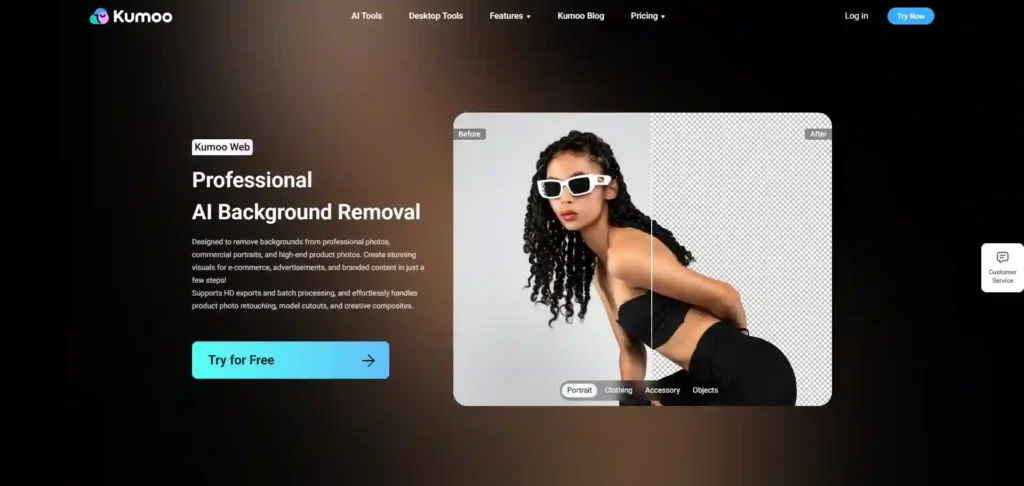
It is an AI-powered photo editing tool specializing in background removal, replacement, and portrait retouching.It offers HD exports, RAW file support, and batch processing for efficient editing of large image sets.The tool provides hair-level precision for complex edges and messy backgrounds, ideal for e-commerce, commercial, and creative photography.Additional features include skin smoothing, body reshaping, wrinkle removal, and sky replacement.Designed for professionals and beginners alike, Kumoo streamlines workflows with intuitive controls and AI-driven automation for high-quality, polished results.
✔️ Remove unwanted backgrounds from product images for e-commerce listings using Kumoo Web’s high-definition precision, ensuring professional quality that enhances visual appeal..✔️ Quickly edit a batch of portrait photographs, effortlessly replacing backgrounds, retouching skin, and adjusting body shapes for events or social media content while maintaining a cohesive look..✔️ Import RAW files of wedding photos to Kumoo Web, enabling detailed background removal and skin retouching for an elegant and polished final album without the hassle of traditional editing methods..