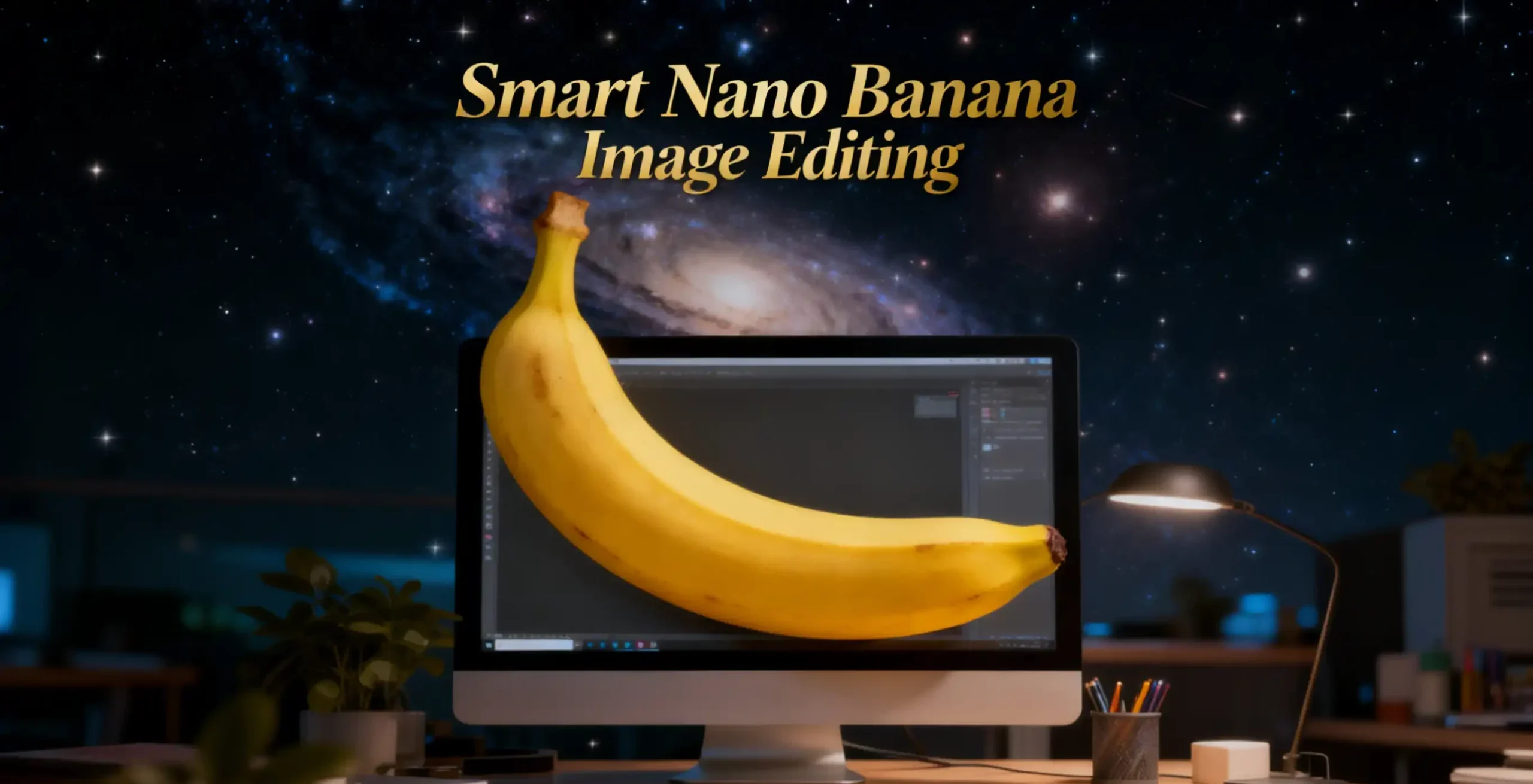
Hasn’t everyone been flooded with news about Google’s recently released Nano Banana Pro (officially codenamed Gemini 3 Pro Image)? It is equipped with Gemini 3-level logical reasoning capabilities, enabling it to understand complex real-world logic, accurately write in multiple languages, and comprehend spatial structures like a designer.
To let everyone see its true potential, I have summarized 10 practical scenarios that ordinary people can definitely use, covering 20 specific ways of use, and provided directly usable nano banana prompts.

Visualise Knowledge with Nano Banana Image Editing
The most daunting aspect of learning is “abstraction”. Nano Banana image editing can not only transform abstruse text into intuitive charts but also illustrate problem-solving approaches in your error-logging notebook like a teacher.
Method One: Concept Visualization (Text-to-Image)
This method mainly targets students reviewing lessons, professionals seeking further development, and parent-child science popularisation.
The goal is to instantly transform the dull definitions and processes from textbooks into a clear “knowledge map”.
The pain point is that when reviewing biology (such as photosynthesis), history (such as the timeline of World War II), or technical principles (such as blockchain), it’s all text with no visual imagery in the mind, leading to quick forgetting after memorisation.
The solution is to directly throw the complex concept to the AI, allowing it to use its built-in Gemini knowledge base to generate an infographic that includes key element flows and time-node markings.
💡 Copy Homework Prompt (For Concept Maps):
“Create an educational infographic explaining [photosynthesis]. Visual Elements: Illustrate the key components: the sun, a green plant, water (H₂O) entering roots, carbon dioxide (CO₂) entering leaves, and oxygen (O₂) being released. Style: Clean, flat vector illustration suitable for a high school science textbook. Use arrows to show the flow of energy and matter. Labels: Label each element clearly in English.”

Photography: Save Bucks on Artistic Photos
Method One: Generate a Business Photo (Become a Silicon Valley Executive in a Second)
Whether for job-hunting or socialising, a decent photo is your second business card.
The pain point is that LinkedIn, resumes, and company ID cards require a professional business-style photo. Going to a studio can cost hundreds of dollars for a set, and you also need to make an appointment, get makeup done, and have the photos retouched.
The solution is to find a photo from your regular selfies with the most natural expression and use its Face Consistency (facial consistency) function to change the outfit and background with one click. The nano banana image editing is much more natural than those poorly made “AI face-swapping” apps because it understands the projection of light and shadow.
💡 Copy Homework nano banana Prompt (For Concept Maps):
“Keep the facial features of the person in the uploaded image exactly consistent. Dress them in a professional navy blue business suit with a white shirt, similar to the reference image. Background: Place the subject against a clean, solid dark gray studio photography backdrop. The background should have a subtle gradient, slightly lighter behind the subject and darker towards the edges (vignette effect). There should be no other objects. Photography Style Shot on a Sony A7III with an 85mm f/1.4 lens, creating a flattering portrait compression. Lighting: Use a classic three-point lighting setup. The main key light should create soft, defining shadows on the face. A subtle rim light should separate the subject’s shoulders and hair from the dark background. Crucial Details: Render natural skin texture with visible pores, not an airbrushed look. Add natural catchlights to the eyes. The fabric of the suit should show a subtle wool texture. Final image should be an ultra-realistic, 8k professional headshot.”

Method Two: Emotional Film Portraits
This method mainly targets photos for social media posts, life recording, and dating profile pictures.
The goal is to transform an ordinary selfie taken by a guy or girl into a “masterpiece” with a sense of story and cinematic quality.
The pain point is that regular selfies are too rigid, often just a simple “V” sign. You may want to take photos in the style of “Wong Kar-Wai” or “Japanese film”, but you don’t know how to adjust the colours, and the lighting is not right.
The solution is to use the Nano banana image editing generate Film Simulation. You just need to provide a close-up photo, and the AI will help you add the twilight lighting, graininess, and cinematic composition.
💡 Copy Homework nano banana Prompt (For Film Simulation):
“Keep the facial features of the person in the uploaded image exactly consistent. Style: A cinematic, emotional portrait shot on Kodak Portra 400 film. Setting: An urban street coffee shop window at Golden Hour (sunset). Warm, nostalgic lighting hits the side of the face. Atmosphere: Apply a subtle film grain and soft focus to create a dreamy, storytelling vibe. Action: The subject is looking slightly away from the camera, holding a coffee cup, with a relaxed, candid expression. Detail: High quality, depth of field, bokeh, background of city lights.”

E-commerce: Zero-Cost “Virtual Studio Shooting”: A Magic Tool for E-commerce Store Sellers
For e-commerce sellers and operators, the most headache-inducing task is taking photos. Flat-laying photos look unattractive, and hiring models costs money.
Method One: Virtual Model Try-On (Idle Marvelous Edition)
The goal of this method is to generate a strong atmospheric image of a model’s upper body that looks like a real street or studio shoot, used for social media recommendations or to enhance the quality of the product.
Pain points: The upper body pictures you take don’t look good, and hiring a model for a photoshoot is costly.
Solution: Upload a flat lay image of your clothing (preferably both front and back) and an atmospheric model/influencer image that you found online or took yourself (it’s best to have the AI generate a model).
💡 Copy Homework nano banana Prompt:
“Using Image 1 (the garment) and Image 2 (the model), create a hyper-realistic full-body fashion photo where the model is wearing the garment. Crucial Fit Details: The [Skirt] must drape naturally on the model’s body, conforming to their posture and creating realistic folds and wrinkles. High-Fidelity Preservation: Preserve the original fabric texture, colour, and any logos from Image 1 with extreme accuracy. Seamless Integration: Blend the garment into Image 2 by perfectly matching the ambient lighting, colour temperature, and shadow direction. Photography Style: Clean e-commerce lookbook, shot on a Canon EOS R5 with a 50mm f/1.8 lens for a natural, professional look.”

Method Two: Professional Product Image Generation (For Shopify Users)
This method is specifically designed for e-commerce platforms (such as Amazon, Shopify, etc.). The goal is to generate clean and clear “white background images” or “ghost images” for product main images.
Pain points: Product photos taken at home with a mobile phone have messy backgrounds and poor lighting, which completely lack the appeal to purchase.
Solution: Upload the images of the product you want to sell (preferably from multiple angles) and let the AI “professionally photograph” them.
💡 Copy homework Prompt: “Identify the main product in the uploaded photo (automatically removing any hands holding it or messy background details). Recreate it as a premium e-commerce product shot. Subject Isolation: Cleanly extract the product, completely removing any fingers, hands, or clutter. Background: Place the product on a pure white studio background (RGB 255, 255, 255) with a subtle, natural contact shadow at the base to ground it. Lighting: Use soft, commercial studio lighting to highlight the product’s texture and material. Ensure even illumination with no harsh glare. Retouching: Automatically fix any lens distortion, improve sharpness, and color-correct to make the product look brand new and professional.”

The ‘Magic Brush Ma Liang’ in the Workplace PPT: Instantly Transforming Sketches into Professional Charts
During meetings, you may have hastily drawn a bunch of messy flowcharts on the whiteboard or sketched a UI draft in your notebook. When it comes to creating a PPT afterwards, you still have to painstakingly trace them using Visio or Figma, which is a real time-waster.
Method One: Hand-drawn Flowchart → Business Vector Chart
This method is mainly aimed at workplace reporting, PPT creation, and technical documentation.
The goal is to transform messy whiteboard scribbles into professional charts that look like they were produced by a consulting firm.
Pain points: The whiteboard drawings in meetings are too ugly, and redrawing them in Visio/PPT takes too much time.
Solution: Take a photo of the sketch on the whiteboard or notebook and upload it to the AI.
💡 Copy homework Prompt (For Flowcharts Only):
“Convert this hand-drawn whiteboard sketch into a professional corporate flowchart suitable for a business presentation. Style Guide: Use a minimalist ‘McKinsey-style’ aesthetic: clean lines, ample whitespace, and a sophisticated blue-and-grey colour palette. Structure: Automatically align all boxes and diamonds to a strict grid. Connect them with straight, orthogonal arrows (90-degree angles only, no curvy lines). Text: Transcribe the handwritten labels into a clear, bold sans-serif font (like Arial or Roboto). Output a high-resolution vector-style image on a pure white background.”

Method Two: UI Hand-drawn Sketch → High-fidelity Product Prototype
This method is mainly aimed at product managers, entrepreneurs, and independent developers.
The goal is to instantly transform a brilliant interface sketch into a “high-fidelity prototype” that can be shown to investors or programmers.
Pain points: You have a great idea, sketched on paper, but you either don’t know how or are too lazy to use Figma, and you want to see what it would look like as an app.
Solution: Draw a simple wireframe, label where the buttons and images are, and upload it to the AI.
💡 Copy homework Prompt (UI Design):”Transform this rough wireframe sketch into high-fidelity UI design mockups for a mobile app. Design System: Apply a modern, clean aesthetic similar to iOS 18 or Material Design 3. Use rounded corners, soft drop shadows, and a vibrant primary colour. Components: Intelligently interpret the sketch: turn scribbles into high-quality placeholder images, convert rough rectangles into proper buttons with gradients, and turn lines into realistic text blocks. Layout: Ensure perfect padding and consistent spacing between elements. Context: Place the design inside a realistic iPhone 16 frame mockup.”

Photo Editing: From “What a Pity” to “Cinematic Feel”
Everyone has a few photos in their phone that didn’t turn out well. Nano Banana Pro’s “imagination” can not only enlarge photos but also remove extra people. It’s 10 times faster than traditional Photoshop.
Method One: Composition Rescue (Smart Outpainting)
This method is mainly aimed at creating phone wallpapers, PPT images, and social media posts.
The goal is to seamlessly expand a cramped vertical/narrow image into a grand horizontal widescreen format.
Pain points: You took a great half-body photo while travelling and wanted to use it as a computer desktop or PPT background, but the sides are all black; or you accidentally cut off half a hand or half a tree in the photo due to shaky hands, which looks very uncomfortable.
Solution: Upload the original image and instruct the AI to “expand the frame to the left and right.” It won’t simply stretch the image; it will automatically draw non-existent scenery, body parts, or buildings based on the scene’s logic.
💡Copy homework prompt (for image expansion only):
“Zoom out and expand this image to a 16:9 aspect ratio (computer wallpaper size). Context Awareness: Seamlessly extend the scenery on both the left and right sides. Match the original lighting, weather, and texture perfectly. Logical Completion: If there are cut-off objects (e.g., a shoulder, a tree branch, or a building edge) at the borders, complete them naturally using logical inference. Do not distort the original centre image.”
Method Two: Smart Clearing (Context-aware Removal)
This method is mainly aimed at travel photos, street shots, and restaurant exploration pictures.
The goal is to remove unwanted tourists, trash bins, and clutter from the background, giving you a “private venue” view of the attraction.
Pain points: You finally visit Disneyland/Universal Studios, but the background is full of people; using the built-in removal tool on your phone to erase them results in a blurry mosaic that looks very fake.
Solution: Upload the photo, mark or describe the people/objects you want to remove, and let the AI “fill in the gaps with realistic backgrounds.” It will understand whether the original background should be grass, brick walls, or railings, and redraw them accordingly.
💡Copy homework Prompt (for removal only):
“Remove all the tourists/people in the background behind the main subject. Intelligent Fill: Replace them with realistic background elements that logically fit the scene (e.g., extend the cobblestone pavement, empty park benches, or grass textures). Consistency: Ensure no blurry artefacts or ‘smudges’ remain. The filled area must have the same grain, focus depth, and lighting as the rest of the photo.”

Home Decoration: What You See Is What You Get – Avoiding Disasters
The most daunting part of home decoration is relying on “pure imagination”.
Nano Banana Pro’s spatial understanding capability allows you to see the 100% realistic outcome before you spend money on furniture or start painting walls, saving you thousands of dollars on “regret pills”.
Method One: Soft Furnishing Trial and Error (Changing Furniture/Changing Wall Colors)
This method is mainly aimed at old house renovation, furniture addition, and soft furnishing coordination.
The goal is to solve the age-old problem of “whether this piece of furniture will look good in my home.”
Pain points: You like a particular sofa, but you’re not sure if it will make your living room look crowded. Or you want to paint the walls green, but you’re afraid it won’t turn out well.
Solution: Take a photo of your living room. Use the inpainting (local repainting) feature to virtually place the sofa in the photo, or simply instruct, “Change the wall colour to Morandi green and add wooden flooring.” It’s like having a free soft furnishing designer.
💡Copy homework Prompt:”Composite Image 2 (the beige sofa) into Image 1 (the living room). Perspective Match: Place the sofa against the main back wall of the living room. Adjust its perspective and scale to look realistic within the room’s existing geometry. Lighting Integration: Calculate the light source from the living room window and cast realistic shadows from the sofa onto the floor. Adjust the sofa’s brightness and color temperature to match the room’s ambient light. Style: Keep the rest of the room exactly as is. Do not change the walls or windows.”

Method Two: Hard Furnishing Preview (Floor Plan → Whole House Design Scheme)
This method is mainly aimed at new house decoration, second-hand house renovation, and studio design.
The goal is to transform a black-and-white floor plan directly into a professional design proposal that includes “overall atmosphere image + detailed images of each space + 3D top view.”
Pain points: Looking at a single rendering, it is impossible to perceive whether the entire home’s style is unified and how the spatial relationships are. To obtain a complete set of solutions like the example you provided, you would have to spend thousands of dollars on a design company.
Solution: Upload a floor plan and instruct the AI to generate a “design collage board,” specifying which room and which angle should be displayed in each small tile.
💡Copy homework Prompt:”Based on the uploaded 2D floor plan, generate a professional interior design presentation board in a single image. Layout : The final image should be a collage with one large main image at the top, and several smaller images below it. Content of Each Panel :
1. Main Image (Top) : A wide-angle perspective view of the main living area , showing the connection between the living room and dining area.
2. Small Image (Bottom Left) : A view of the Master Bedroom , focusing on the bed and window.
3. Small Image (Bottom Middle) : A view of the Home Office / Study room .
4. Small Image (Bottom Right) : A 3D top-down floor plan view showing the furniture layout. Overall Style : Apply a consistent Modern Minimalist style with warm oak wood flooring and off-white walls across ALL images. Quality : Photorealistic rendering, soft natural lighting.”


Self-Media/Operations: Say Goodbye to Photoshop; No Need to Ask for Help with Image Editing
One of the strongest updates of Nano Banana Pro is text rendering.
In the past, when using AI to generate images, the text would appear as gibberish.
Now, it can not only write the correct characters (supporting multiple languages) but also understand typography like a graphic designer.
Method One: Viral Cover Images (For YouTube)
This method is mainly aimed at self-media bloggers and content creators.
The goal is to generate eye-catching cover images with large headlines and high saturation that grab attention at first glance.
Pain points: After writing a blog post or article, you have to spend a lot of time on Canva to create a cover image: finding a background image, adding text, adjusting font colours, adding outlines, etc. It’s time-consuming and labour-intensive.
Solution: Simply describe the theme and title you want, and let the AI generate a finished cover image with integrated text and graphics.
💡Copy homework Prompt :”Design a viral video thumbnail using the person from Image 1. Face Consistency: Keep the person’s facial features exactly the same as Image 1, but change their expression to look excited and surprised. Action: Pose the person on the left side, pointing their finger towards the right side of the frame. Subject: On the right side, place a high-quality image of [a delicious avocado toast]. Graphics: Add a bold yellow arrow connecting the person’s finger to the toast. Text: Overlay massive, pop-style text in the middle: Done in 3 mins!. Use a thick white outline and drop shadow. Background: A blurred, bright kitchen background. High saturation and contrast.”

Method Two: Commercial Promotional Posters (For Instagram)
This method is mainly aimed at physical store owners, WeChat business sellers, and private domain operators.
The goal is to generate promotional materials that look professional and well-designed and clearly convey promotional information.
Pain points: When your store has a “buy one, get one free” promotion, you don’t want to spend hundreds of dollars on a graphic designer. But using Word to create something results in an ad that looks like a nuisance, which is embarrassing to post on social media.
Solution: Tell the AI about your product, promotional theme, and discount information, and let it automatically compose the image, perfectly integrating the text into the scene (for example, written on a blackboard, in neon lights, or floating in the air).
💡Copy homework Prompt :”Design a professional promotional poster for a [Coffee Shop]. Composition: A cinematic close-up of a steaming cup of cappuccino on a rustic wooden table, with autumn leaves in the background (cosy atmosphere). Text Integration:
1. The main title, ‘Autumn Special’, is written in elegant, gold serif typography at the top.
2. Offer: ‘Buy One Get One Free’ clearly displayed in a modern badge or sticker style on the side.
3. Footer ‘Limited Time Only’ in small, clean text at the bottom. Quality: Ensure all text is perfectly spelled, centred, and integrated into the image’s depth of field.”

“Native Feel” Visual Translation: Better at Photo Editing Than Fan Translation Teams
Ordinary translation apps simply slap an ugly black box on the image.
Nano Banana Pro “removes” the original text, fills in the background, and then writes the translation in the original font style.
Method One: In-Store/Travel Translation (Essential Scenarios)
This method is mainly aimed at store owners hosting foreign tourists and travellers reading menus abroad.
The goal is to translate the text while retaining the authentic texture of the wall or paper, such as the “greasy” or “weathered” look.
Pain points: When you take foreign friends to a local, rustic restaurant, they can’t read the handwritten menu on the wall. Using a mobile translation app results in standard font text that looks extremely out of place on the weathered wall, instantly losing the “authentic” feel.
Solution: Take a photo of the menu on the wall and instruct the AI to “translate it into English, but retain the aged look and handwritten style of the wall.”
💡Copy homework Prompt :”Translate the dish names on the wall menu into English for foreign tourists. Texture Preservation: Crucial! Maintain the original aged, greasy, and textured look of the wall/paper. The new English text should look like it was written/printed on the same surface, with slight fading or wear to match. Currency: Keep the ‘¥’ symbol and price numbers exactly as they are; do not convert currency. Layout: align the English translations next to or replacing the Chinese characters naturally.”
Method Two: Digital Content Localization (For Comics, Meme Images, and Instruction Manuals)
This method is mainly aimed at anime fans, overseas shopping enthusiasts, and internet surfers.
The goal is to transform foreign content into a “native Chinese version” without any trace of translation.
Pain points: You see a funny meme image on Twitter or follow a comic that hasn’t been localized (raw). Using a translation app to take a screenshot and translate it covers up the details in the image (such as characters’ faces) and looks very unappealing.
Solution: Upload the image and let the AI recognize the foreign text in the speech bubbles, erase it, and then fill in the Chinese text in the original font style (such as the handwritten style used in comics).
💡Copy homework Prompt :”Translate the text in the speech bubbles/captions from [Japanese/English] to [Chinese]. Seamless Cleaning: Erase the original text and perfectly fill the background (e.g., the white speech bubble or the colored image background). Style Matching: Render the translated Chinese text using a casual, handwritten-style font (or bold impact font for memes) that matches the aesthetic of the original image. Fit: Ensure the text fits naturally within the bubbles without overcrowding.”
Travel Communication Card: A Lifesaving Tool for Travelers
What is the most daunting thing about traveling abroad?
It’s not the lack of money, but the inability to communicate effectively.
Nano Banana Pro can generate high-contrast digital communication cards that display prominently on the screen.
Save them to your photo album and show them full-screen to waitstaff or drivers for clear and easy communication.
They can be a lifesaver in critical moments.
Method One: Allergy/Taboo Lifesaving Card (Eat with Confidence)
This method is mainly aimed at people with food allergies, vegetarians, and those with specific religious dietary restrictions.
The goal is to generate a warning image that waitstaff can instantly understand and won’t take lightly.
Pain points: In small restaurants where the language is a barrier (such as a street stall in Thailand), relying on a single line of text from a mobile translation app may not be clear enough for the waitstaff to notice or take seriously. Accidentally consuming allergens like peanuts or seafood could have severe consequences.
Solution: Utilize the AI’s visual warning design to create an image with a large red prohibition symbol, realistic food images, and prominent warnings in the local language.
💡Copy homework Prompt :”Design a flat, 2D digital warning graphic (Full screen image, no hands, no phone frame, no background scenery). Composition :
1. Center Visual: A realistic icon of [Peanuts] covered by a massive, bold red prohibition sign (🚫).
2. Text :
– Top (Red, Bold): ‘WARNING!’
– Middle (Thai): ‘ฉันแพ้ถั่วลิสง’ (I am allergic to peanuts)
– Bottom (English): ‘NO PEANUTS! Serious Health Risk.’ Style: Clean vector art style, pure white background, high contrast. Make it look like a digital sign.”

Method Two: Landmark Inquiry/Taxi Card (Navigate with Clarity)
This method is mainly aimed at taking taxis, asking for directions, and checking into hotels.
The goal is to solve the awkwardness of drivers not being able to see the navigation clearly or understand your pronunciation.
Pain points: When taking a taxi abroad (especially a tuk-tuk or regular taxi), showing the driver Google Maps is ineffective because the text is too small to read, or when you want to go to a specific attraction but your pronunciation is off, the driver is left confused.
Solution: Have the AI generate a “destination card.” It should feature a prominent image of the landmark’s appearance (using the AI’s knowledge base) and include the place name in large local language text, along with the instruction “Please take me here.”
💡Copy homework Prompt :”Design a clean, 2D digital travel flashcard (full screen, vertical layout). Visual: Top half shows a clear, high-quality illustration or photo cutout of [Senso-ji Temple]. Text Content :
1. Top Overlay (Huge, Japanese): ‘ここへお願いします’ (Please take me here).
2. Middle (Massive Kanji): ‘[浅草寺]’.
3. Bottom (English): ‘Senso-ji Temple’. Style Poster design, flat colors, no paper texture, no realistic environment. Just the graphics and text on a clean background.

Social: Customized Avatars and Emojis
On the internet, avatars and emojis are your face.
Nano Banana Pro allows you to stand out without looking like everyone else and dominate group chats.
Method One: 3D Blind Box Style Avatars (Avoiding Duplicates)
This method is mainly aimed at changing avatars on Ins.
The goal is to generate an avatar that retains your personal features while looking like a high-quality figurine.
Pain points: Using a real photo risks privacy issues, using a landscape photo looks outdated, and using a random image from the internet often results in duplicates. You want a “one-of-a-kind” and “high-quality” cartoon character.
Solution: Upload a selfie and instruct the AI to transform you into a “Pop Mart style” 3D blind box figurine. It can accurately capture your glasses, hairstyle, and expression.
💡 Copy homework Prompt (3D avatars):
“Transform the person in the uploaded photo into a cute 3D Pop Mart-style blind box character. Likeness Keep key features recognisable: [hair colour, glasses, hairstyle]. Style: C4D rendering, occlusion render, cute Q-version soft studio lighting, pastel colours. Background: A simple, solid matte color background (e.g.,
Soft blue. Detail: The character should have a smooth, plastic toy texture with a slight glossy finish. Facing forward, friendly expression.”

Method Two: Custom Pet Emojis
This method is mainly aimed at pet owners and meme enthusiasts.
The goal is to turn your own cat or dog into a one-of-a-kind “meme” on the internet.
Pain points: You want to share photos of your cat, but no one pays attention to the original images; you want to create memes, but you only know how to use basic photo editing tools to add a few words, which looks very unsophisticated and lacks that “addictive” feel.
Solution: Upload a photo of your pet and let the AI transform it into a **”cute and quirky hand-drawn style”**, automatically adding funny captions based on its expression.
💡 Copy homework Prompt :”Turn this photo of my [cat] into a funny hand-drawn WeChat sticker. Style: Minimalist ugly-cute line drawing (doodle style). White background. Expression: Exaggerate the animal’s expression to look extremely shocked/judgmental/lazy (based on the photo). Accessories: Add cute little doodles like sweat drops, question marks, or sparkles around the head. Text Add handwritten Chinese text at the bottom: ‘[what’s up?]’. Ensure the text style is messy and funny.”

Conclusion: From “Dreaming” to “Living”
Writing this, my greatest feeling is that AI image generation has finally become practical and close to everyday life.
Over the past year, we’ve seen too many AI tools that can create grand, epic, and exquisite anime-style illustrations.
But when we close the webpage and return to reality, wanting to help a child with a math problem, take a photo of ourselves, or make a poster for our store, we find that those “grand” tools are helpless—they don’t understand what a triangular auxiliary line is, don’t know how to write Chinese characters into a poster, and certainly don’t grasp the concept of “plain, real-life authenticity.”
The emergence of Nano Banana Image Editing fills this huge void.
Its strength doesn’t lie in its ability to create stunning artworks, but in its capacity to truly address the three major chronic issues in the field of AI generation:
1. “Generating incorrect text”: From now on, text in images is no longer mere decoration but readable, usable information.
2. “Lack of precise control”: From now on, we are no longer blind box players but directors who can precisely command light and shadow, as well as composition.
3. “Failure to understand real-world logic”: From now on, nano banana image editing AI begins to comprehend the rules of the physical world, from geometry problems to home decoration plans; it no longer makes things up indiscriminately.
If you are still using it to generate cartoons, you might as well stop and try the 20 methods mentioned above.
You will find that it is not just a brush; it has quietly become your private photographer (saving you the cost of hiring a professional), your graphic designer (taking care of poster layout), your translator (eliminating language barriers), and even your math tutor (helping you break down geometry problems).
Nano banana image editing provides a daily free quota for ordinary users (though it is not much), but it is enough to take the first step.
This is the original intention of technological progress: not to create cooler illusions, but to make life a little easier for every ordinary person.
If you are interested in AI tools, Itermall also has more usage methods of various AI tools. Let’s use AI together to improve efficiency and change lives.